One system for the whole studio operation
From the model's sign-up to the period close and the sale at the store. Every module shares the same model profile, so nothing is typed twice.
What features does webcam studio software have?
Studio Fácil brings a webcam studio's features into one system: model profiles with usernames and contracts, platforms and encrypted credentials, shifts and sessions with auto-session, attendance with fines, an earnings sheet, pay by tokens with a scale and exchange rate or in dollars by fixed percentage, deductions and loans, the model dashboard, an in-house store with cash closing, internal chat and statistics.
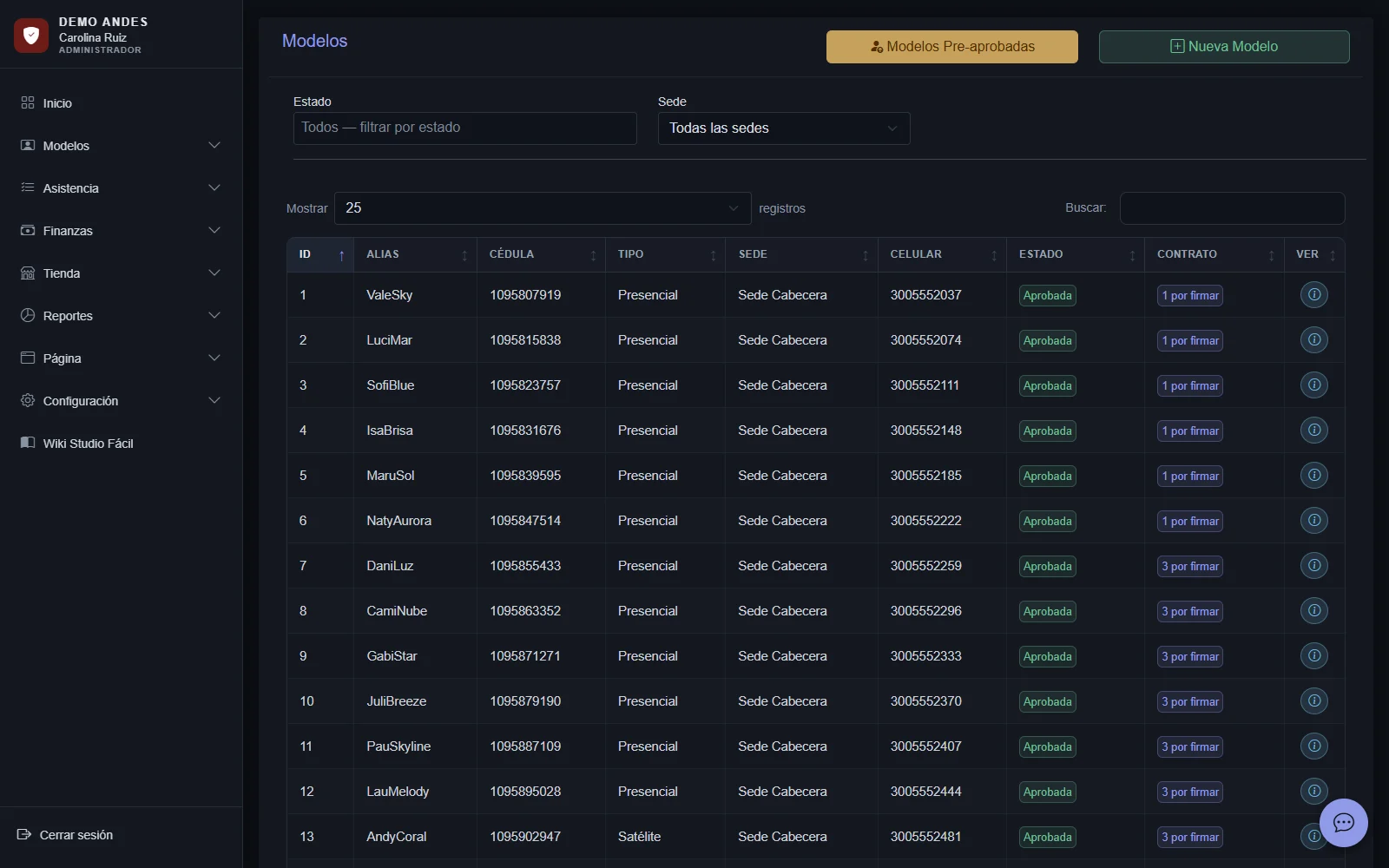
Each model's complete profile, in one place
Personal data, location, shift, model and payroll type, bank account, usernames by platform, emergency contacts, contracts and documents. The earnings sheet, attendance and payroll all come from the profile.
- Model statuses
- Signed up, pre-approved, approved, undecided, denied or withdrawn, with filters by status and location.
- Model and payroll type
- On-site or couple, living at the studio or not, and remote: five types, each with its own pay scale.
- Reduced profile for the monitor
- The monitor only sees and edits the platforms and shift of approved models, without personal or financial data.
- Review before deleting
- Before deleting a model, the system shows everything linked to her: sessions, earnings, deductions and documents.
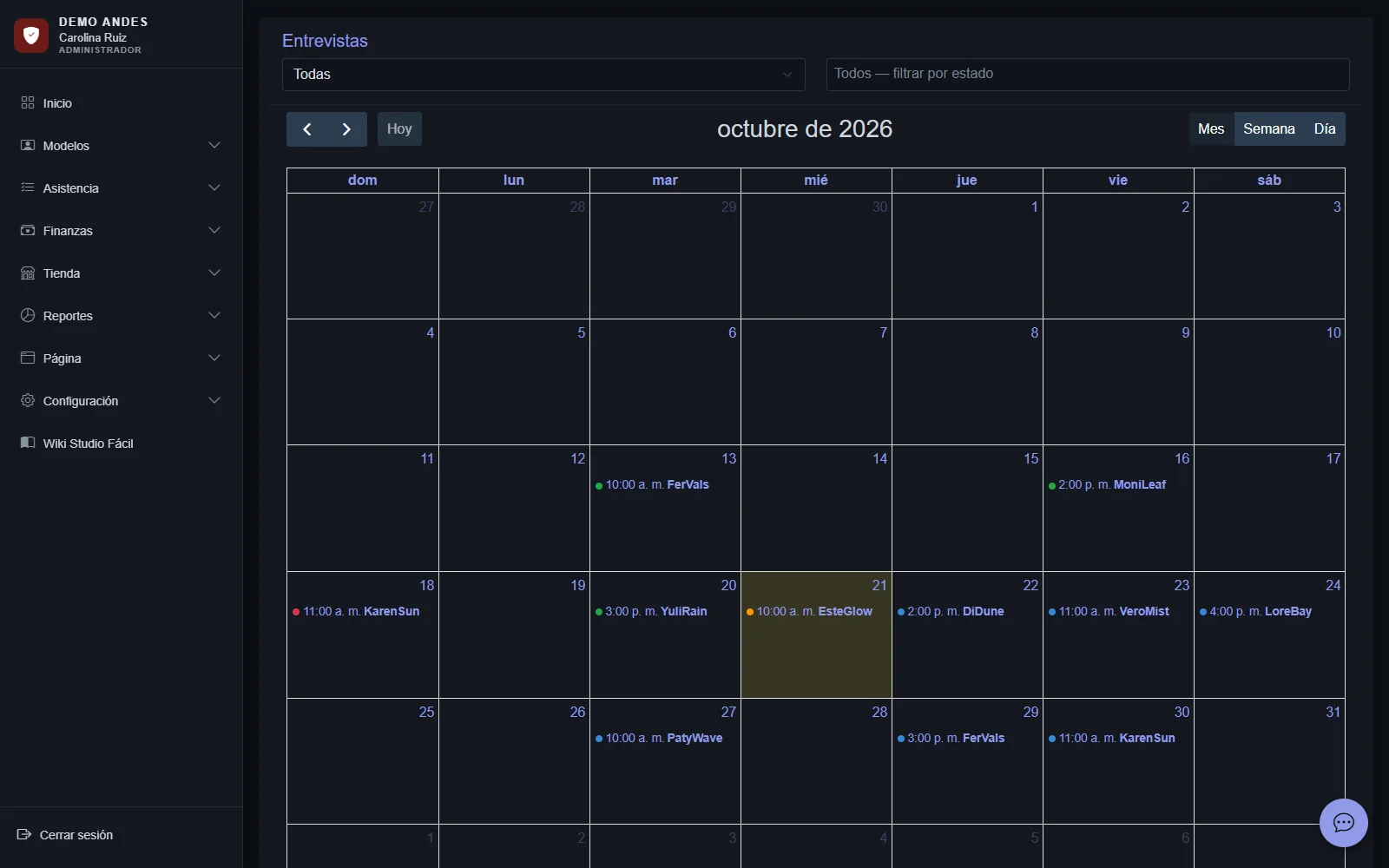
From the sign-up form to the scheduled interview
The applicant signs up on the studio's website, is recorded as signed up and books her interview by choosing a day and time. She and the administrator get the invitation by email, and the administrator follows each interview on a color-coded calendar.
- Interview calendar
- Day, time and status of each interview: registered, attended or did not attend.
- Online booking
- The applicant chooses the day and time of her interview on the studio's website and gets the invitation by email.
- Pre-approved models
- Applicants the administrator marks as pre-approved are ready to complete their profile and be approved.
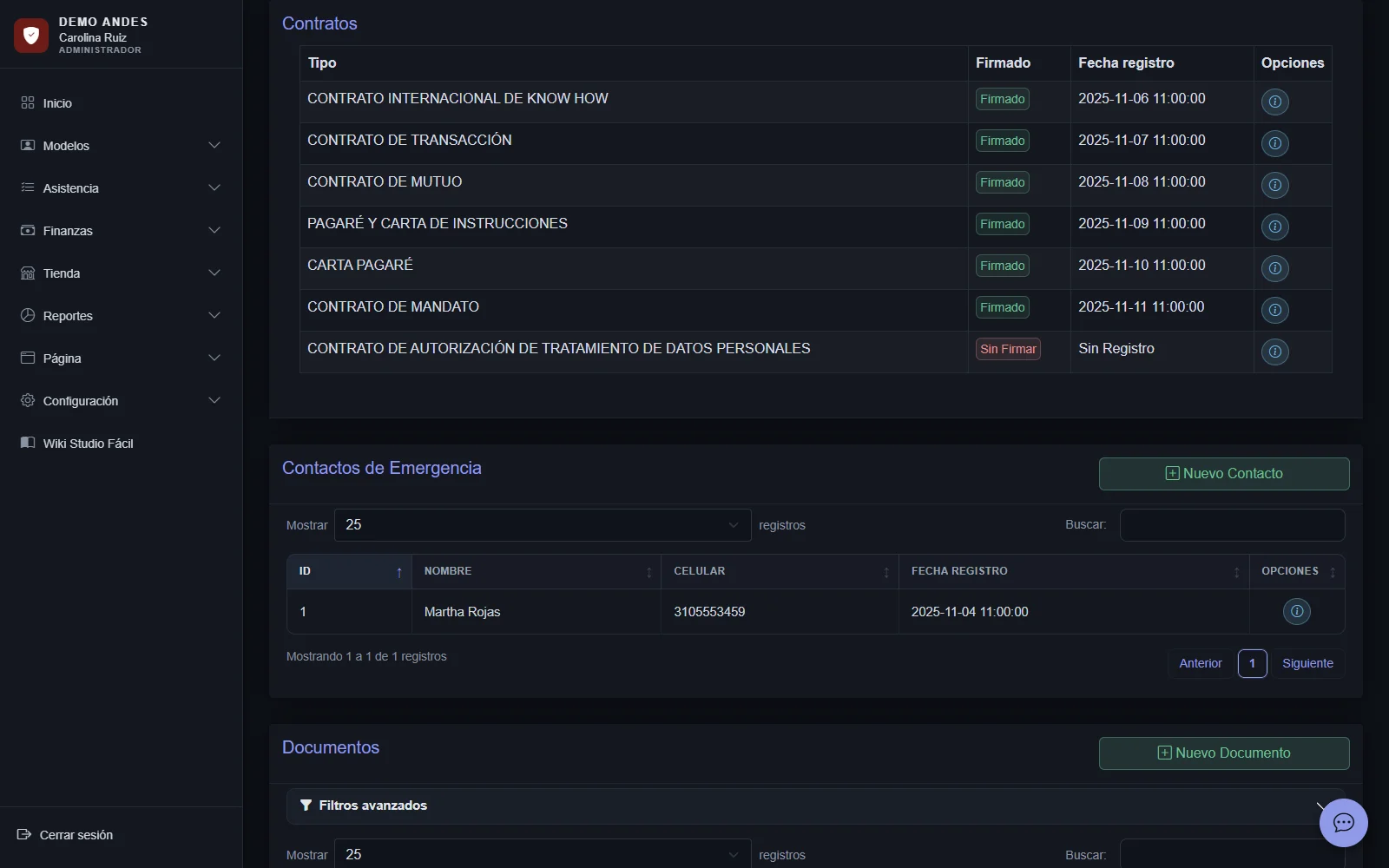
PDF contracts with signature, ready from the profile
The system generates each model's contracts and legal documents with her data and the studio's: the international know-how agreement, the settlement agreement, the loan agreement, the promissory note with its instruction letter, the promissory letter, the mandate agreement and the data-processing authorization.
- Drawn signature
- The model signs on screen at the studio and the signature is placed on the contract with her photo.
- Model documents
- ID and other files by type, stored in the profile.
- Studio data on every document
- Legal name, representative and legal details come from the studio settings.
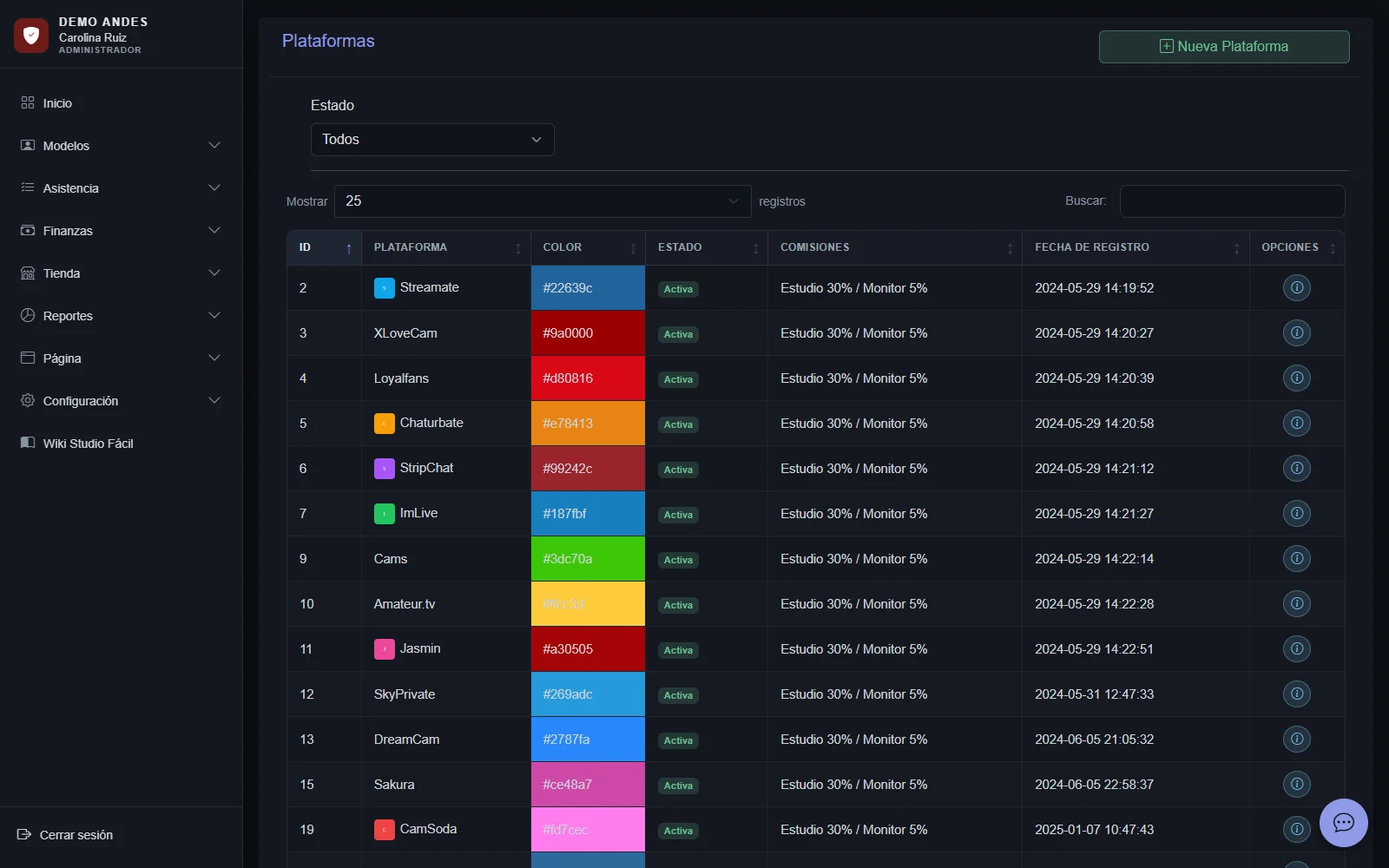
Platforms, usernames and credentials, no loose sheets
Each platform with its color, URL and commission, and each model with her username on each one. Each username's login and password are stored encrypted, and the model can view them from her dashboard.
- Usernames by platform
- The model's username on each platform, which feeds the earnings sheet and payroll.
- Encrypted credentials
- One by one from the profile or in bulk from Platform Credentials. Only the administrator records them.
- Sign-in key
- A browser bookmark that, with temporary access that expires in a few minutes, fills in the platform's sign-in without showing the password.
- Auto-session
- On supported platforms (Chaturbate, StripChat and CAM4), the system checks whether the model is live to open or close her session.
Every shift, logged as a work session
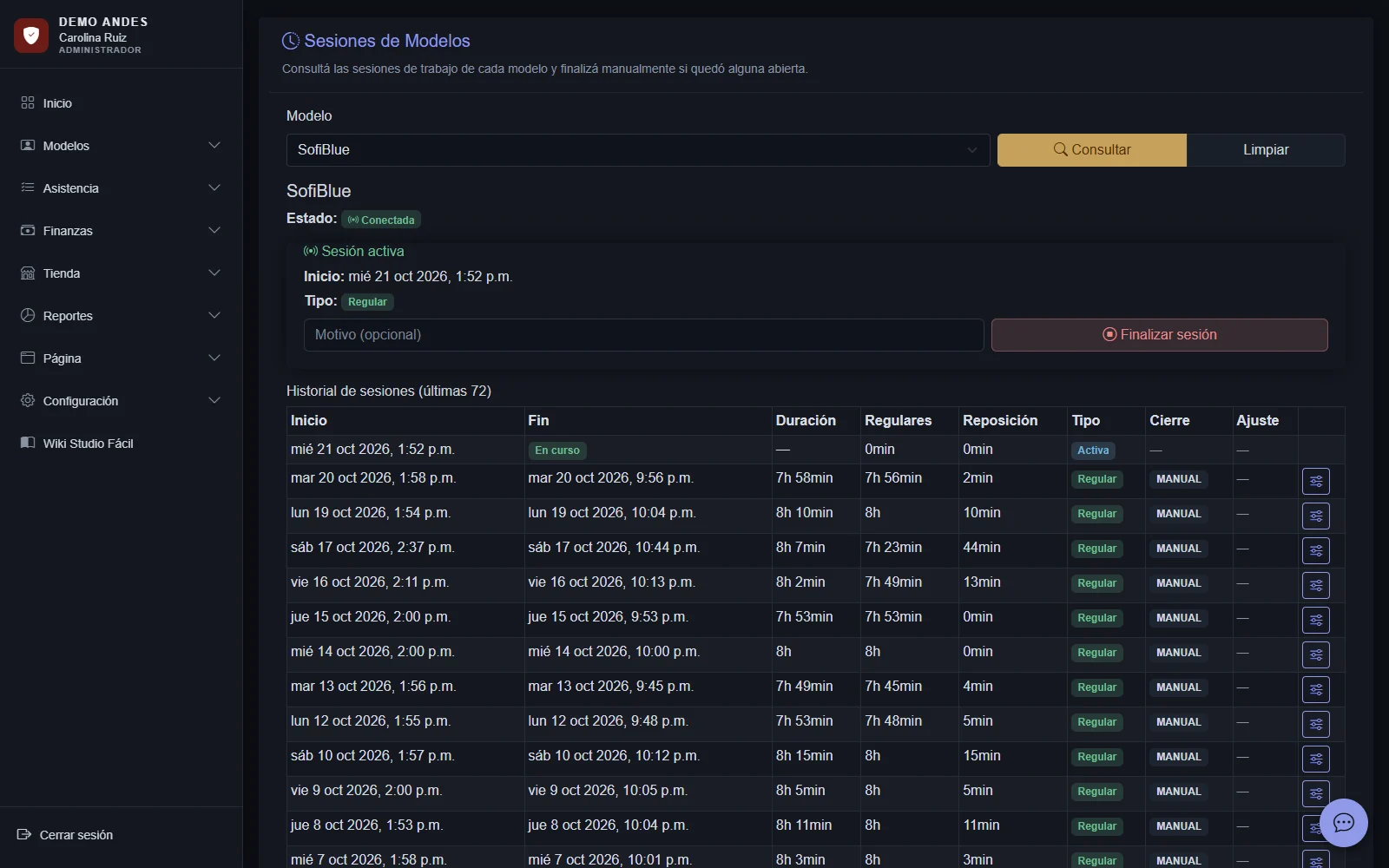
The monitor or the administrator starts and ends each model's session. The system calculates regular and make-up hours, knows which shift and date each session belongs to and closes sessions left open.
- Configurable shifts
- Morning, afternoon and night with start and end times; the night shift crosses midnight without errors.
- Auto-session
- When enabled, the session opens on its own when the model streams and closes after several offline checks.
- Audited adjustments
- The administrator adjusts the hours of a closed session with a full history; the monitor adjusts or makes up time with an approval PIN.
- Make-up requests
- Make-up time is requested, approved and added to the week's hours.
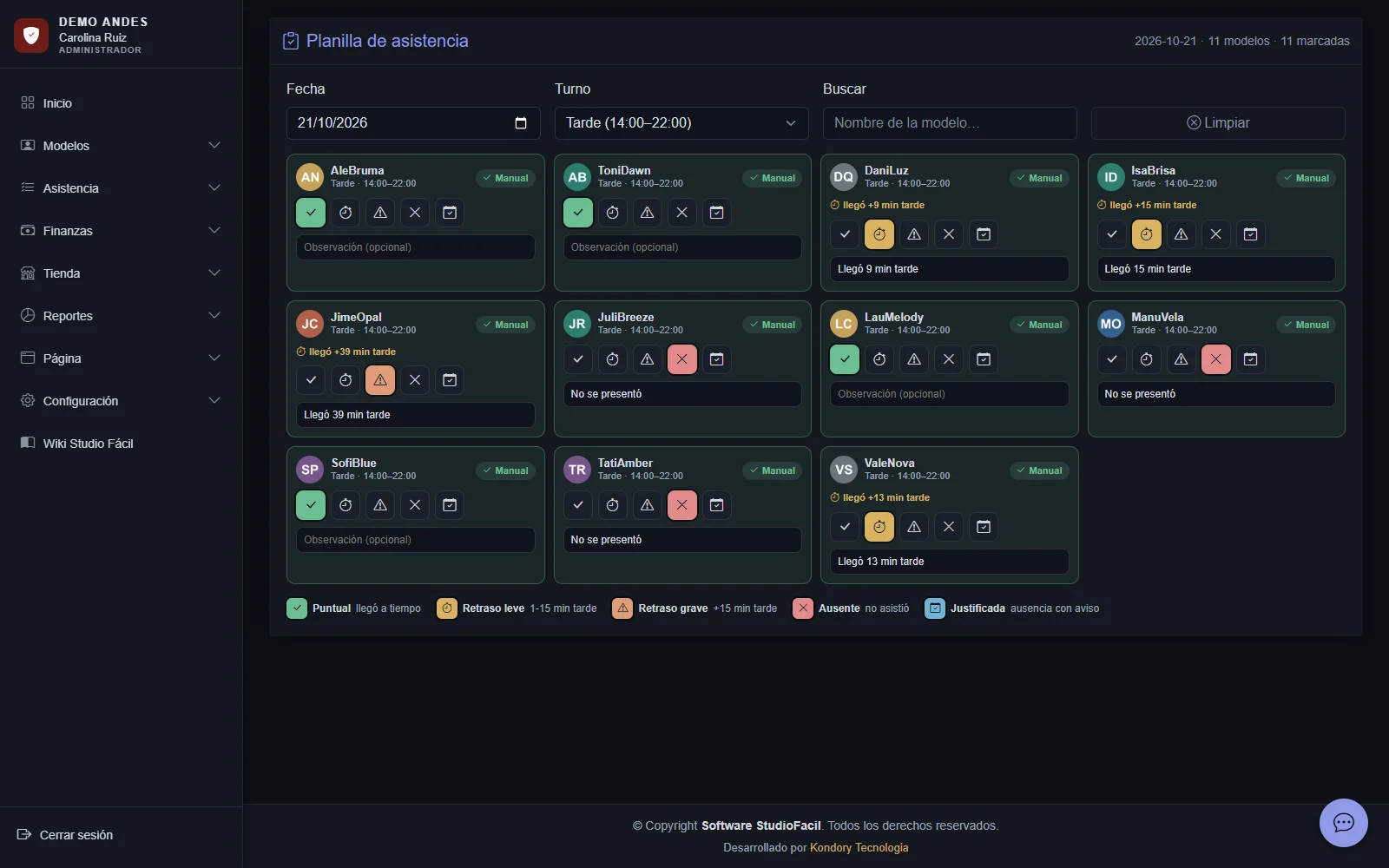
Shift attendance, with automatic fines
The monitor marks each model on the attendance sheet and the weekly report classifies each day. With automatic fines on, lateness and absences create their fine without typing it.
- Daily statuses
- On time, slightly late, very late, absent, excused or not scheduled, with the minutes late.
- Fine catalog
- Late arrival, with a fixed amount, and first to fifth-and-later absences, each with a larger amount within the period. The studio sets the amounts and can create its own fine types.
- Fines by the monitor
- The monitor records fines and only the administrator edits or deletes them, with history by model.
- Weekly report
- Monday to Sunday by model, derived from sessions and corrected by the manual sheet.
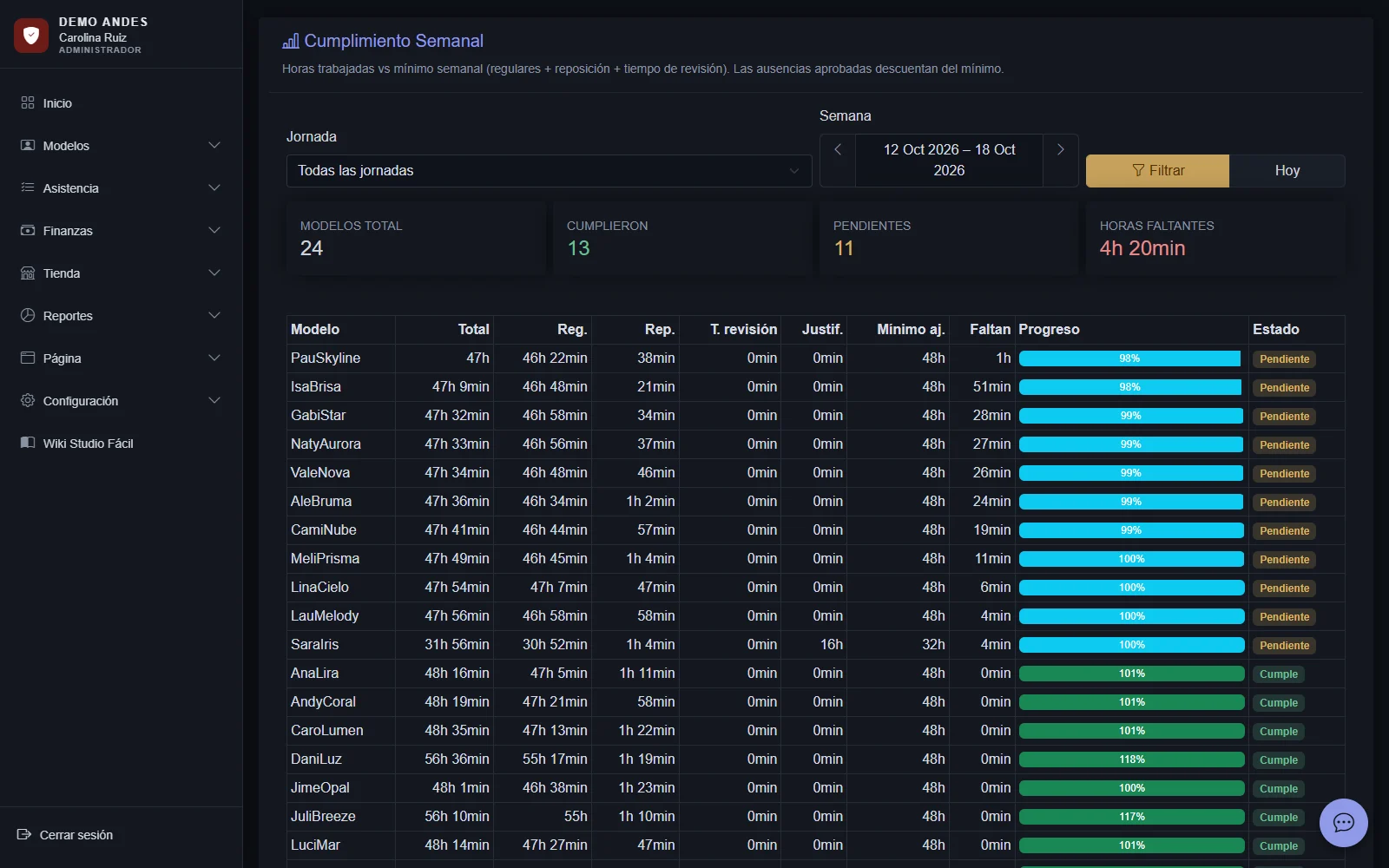
Approved absences and minimum hours for the week
The model requests her absences and the administrator approves them with the validated hours. Weekly compliance compares hours worked against the studio's minimum, discounting excused absences.
- Absence types
- Medical, personal, family, education, vacation, emergency or other, with pending, approved, rejected or canceled status.
- Minimum weekly hours
- Sessions, adjustments and review time against the studio's minimum, with a progress bar.
- Consecutive weeks
- The system counts consecutive weeks without meeting hours and, at the third, marks the model as dispersed so the studio can apply its rules.
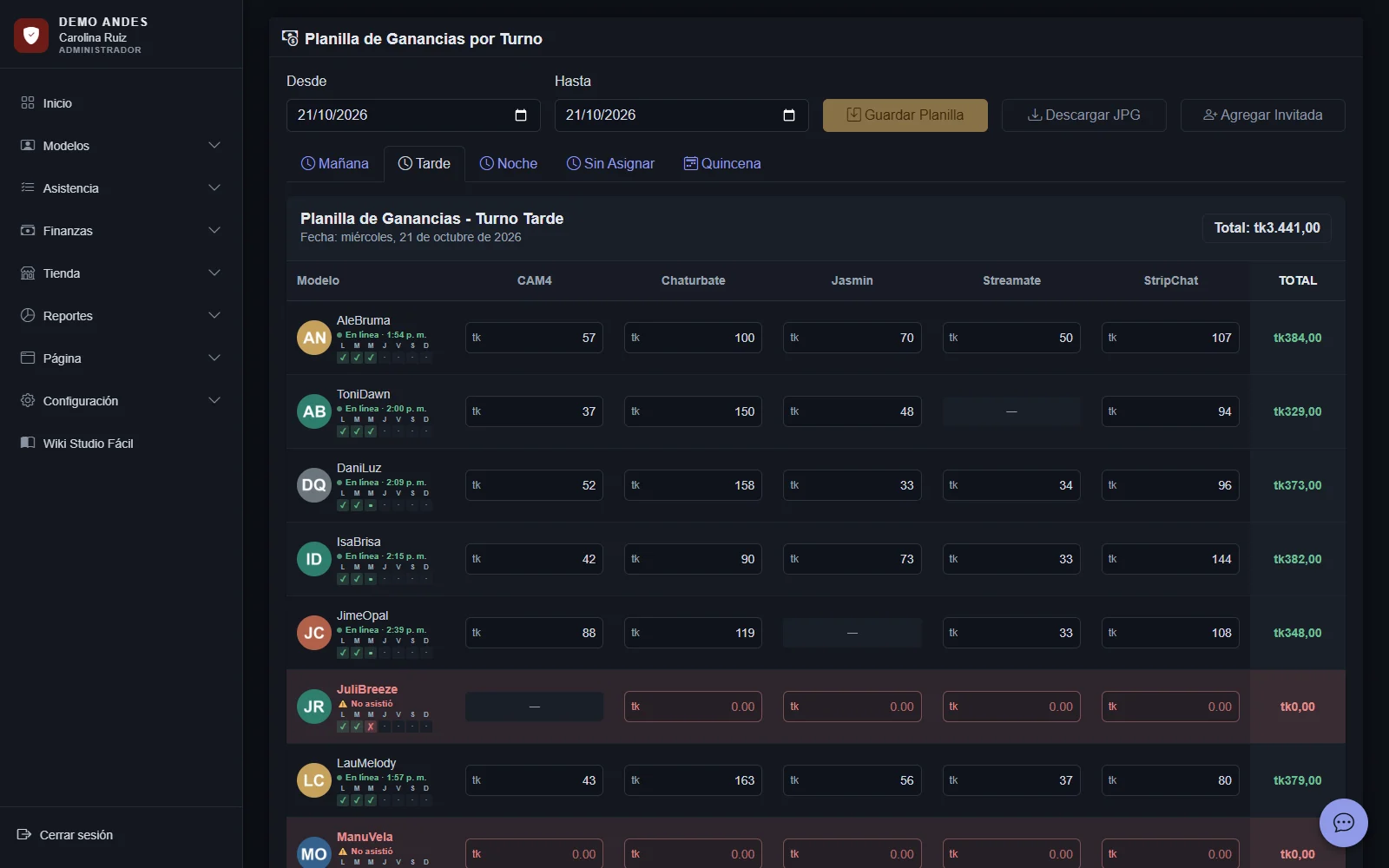
Each shift's earnings, by model and platform
The sheet by shift and day where the monitor or administrator enters what each model earned on each platform. It is the basis for statistics, live operations and payroll.
- Period total by model
- One button shows the running total for the period, filtered by shift and model.
- Guest models
- Add a model from another shift to the sheet for one date, without changing her usual shift.
- Configurable unit
- Tokens, dollars or another unit, with the symbol the studio chooses.
Each model's token payroll, at the cut-off exchange rate
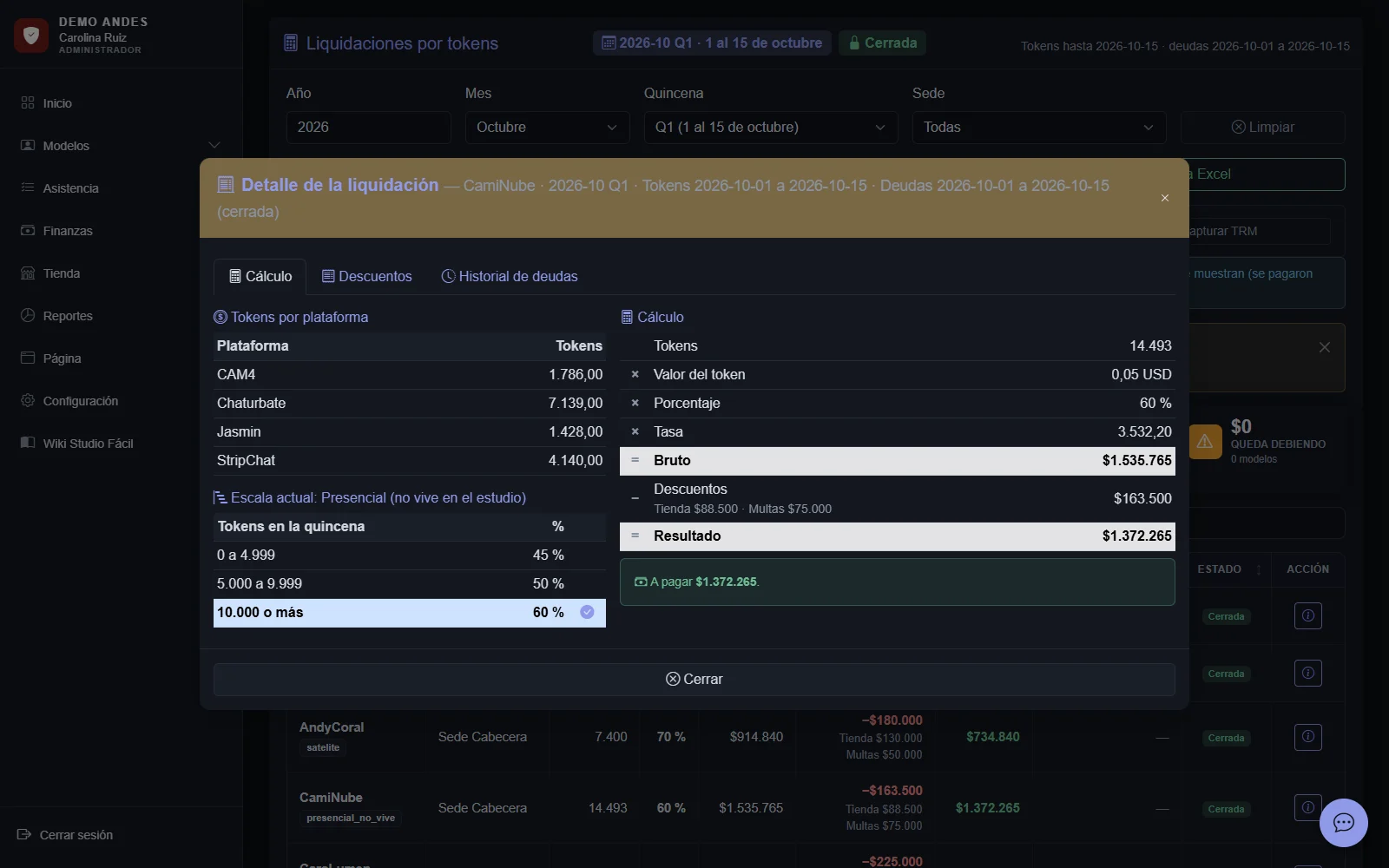
For each model and period, the system adds up tokens by platform, applies the pay scale, converts at the cut-off rate minus the spread and subtracts deductions and carried-over debt. It starts as a draft and then the period is closed.
- Pay scale by model type
- Token ranges with their percentage, different for on-site, remote or couple.
- Cut-off exchange rate
- Exchange-rate history and a rate locked for each period, minus the spread the studio sets.
- Retroactive rate
- If the month passes the token threshold, the whole month is paid at the retroactive percentage.
- Configurable periods
- Biweekly or monthly, with each period's start day and a separate debt cut-off calendar.
Dollar payouts by fixed percentage, from the platforms' report
Upload the platforms' payment report in Excel: each dollar income is assigned to its model by username. The payout applies the on-site or remote percentage, withholding tax for remote models and each date's exchange rate minus the spread, and subtracts deductions.
- Import by username
- The report's accounts sheet is read automatically; income with an unknown username is left to be assigned by hand, and the username can be created right there.
- Minimum payout and withheld balances
- What doesn't reach the minimum payout is withheld and added to the next payout; models who didn't meet the week's minimum hours can be excluded from that payout.
- Batches and receipts
- All models' payouts are generated at once and grouped in a batch; each model gets her PDF receipt by email, with Excel for the bank and for the accountant.
- Bonuses and goals
- Fixed-amount or percentage bonuses, and a goal bonus by platform, automatic or with administrator approval.
| Model | Earned | Percentage | Total payout |
|---|---|---|---|
| ValeSky | US$820 | 60% | $1,742,300 |
| LuciMar | US$610 | 60% | $1,296,100 |
| AndyCoral · remote | US$540 | 55% | $1,012,800 |
| SofiBlue | US$95 | 60% | Withheld |
Datos de ejemplo
Every deduction reaches payroll on its own
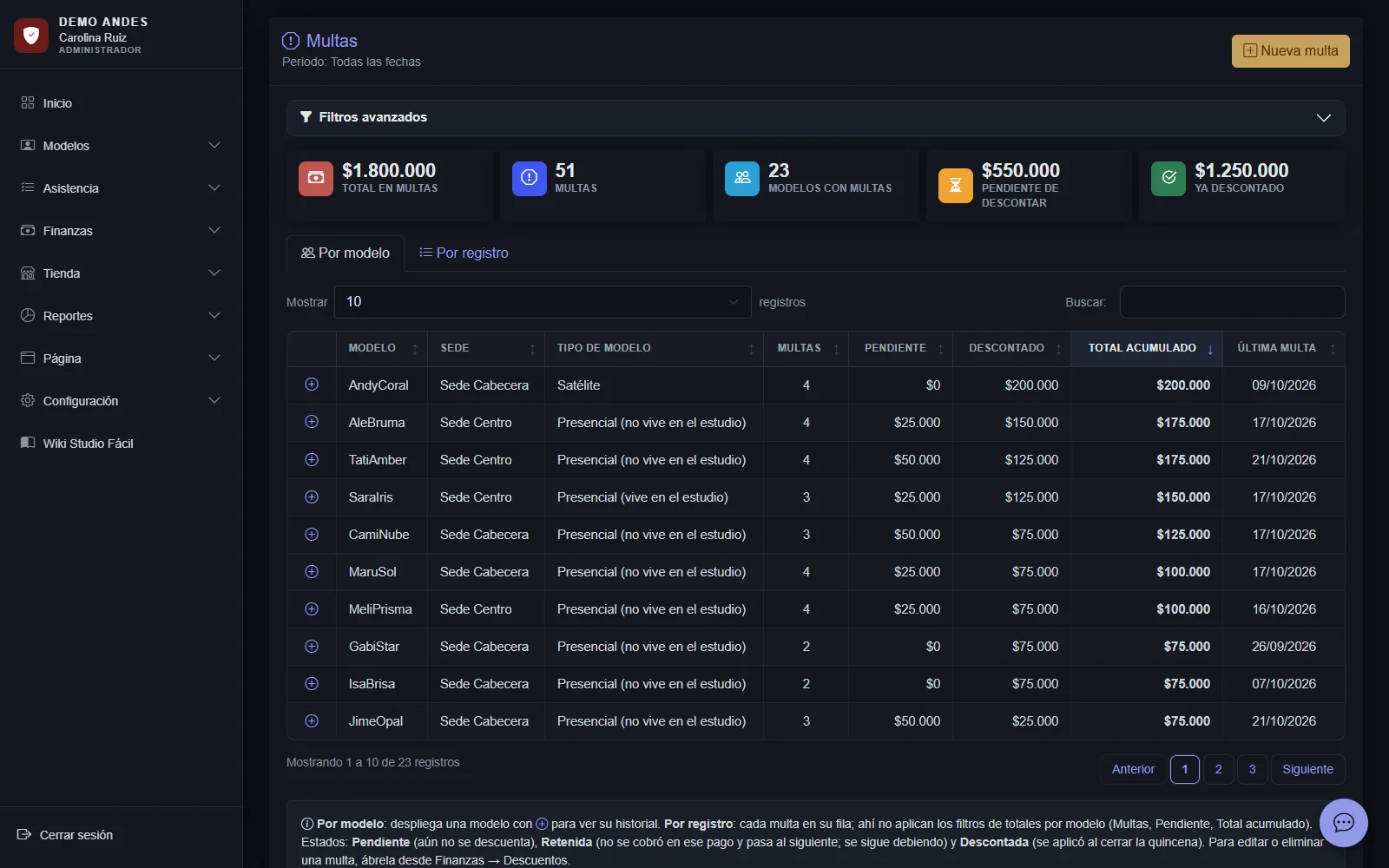
General deductions, fines, store purchases, advances and loan payments are recorded with their date and land in the right period according to the cut-off date. When paying in dollars, bonuses also add a fixed amount or a percentage.
- Deduction types
- General, fine, store, advance and loan, with registered, withheld or applied status.
- Loans with payments
- A loan is a separate debt from an advance: each payment lowers the balance and is deducted in payroll.
- Bonuses
- Fixed amount or percentage, in pesos or dollars, added to dollar payouts by fixed percentage.
- Negative balance
- If deductions exceed the payout, the balance carries over as debt to the next period.
The model sees how her payout was calculated
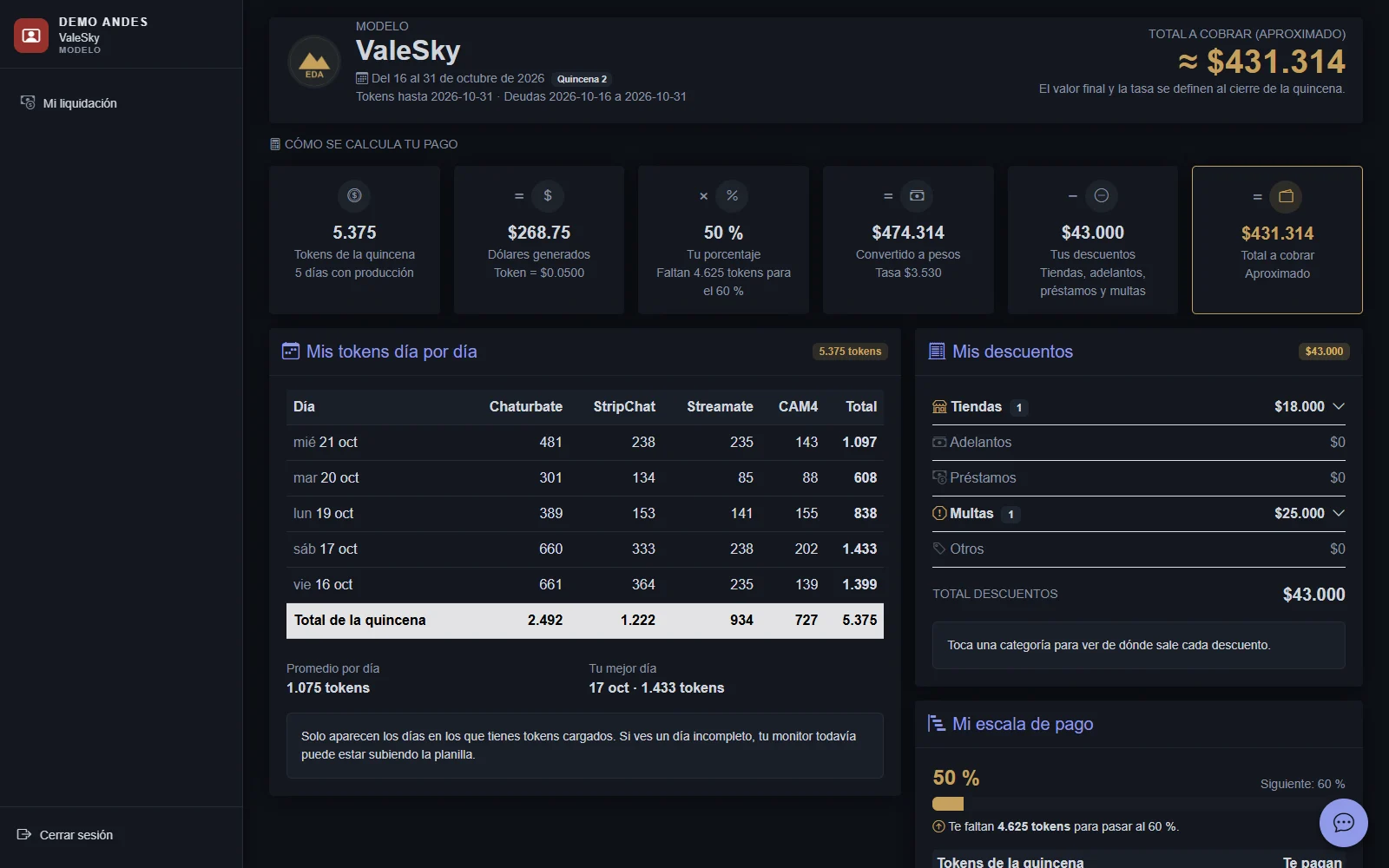
A read-only dashboard with her payout for the period, how it's calculated, her tokens day by day, deductions, scale, previous payouts and current balance.
- Her own statistics
- Earnings over the last 30 days, by platform, and hours per week.
- My platforms
- Her usernames and credentials, with the sign-in key.
- Optional sections
- My absences, my surveys and monitor rating, depending on what the studio enables.
The studio's store, in the same system
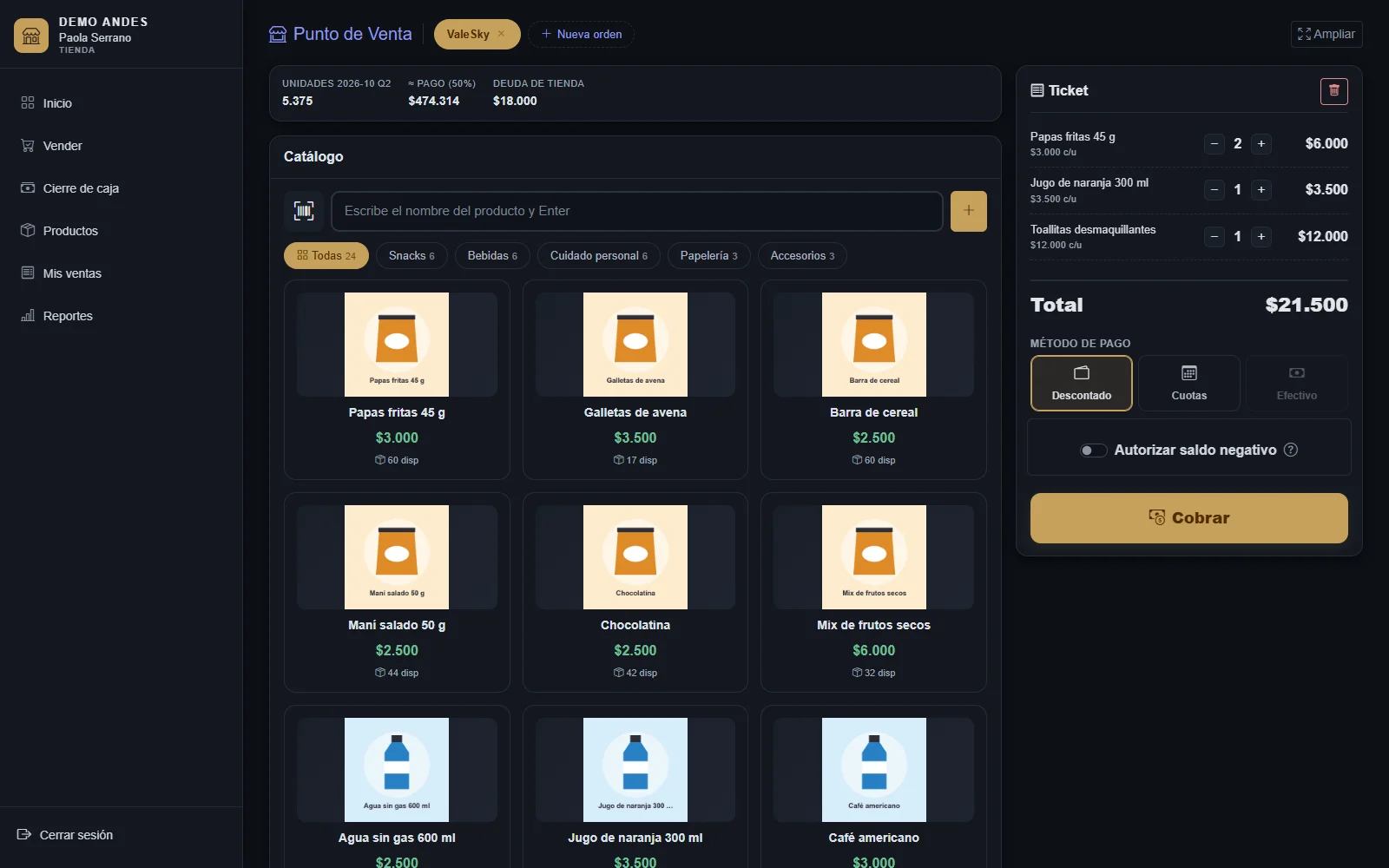
Products by location with category, cost and sale price, stock and images. The seller records sales to a model, a monitor, an outside customer or a free item, paid in full or in installments.
- Installments deducted from payroll
- Each installment of a sale to a model creates its payroll deduction; a monitor's purchase is recorded as their debt.
- Negative balance approval
- If a purchase exceeds the model's or monitor's available balance, the sale requires an administrator's PIN and a reason, and who authorized it is recorded.
- Inventory in Excel
- Export and import products by column name, with fractional sales and units of measure.
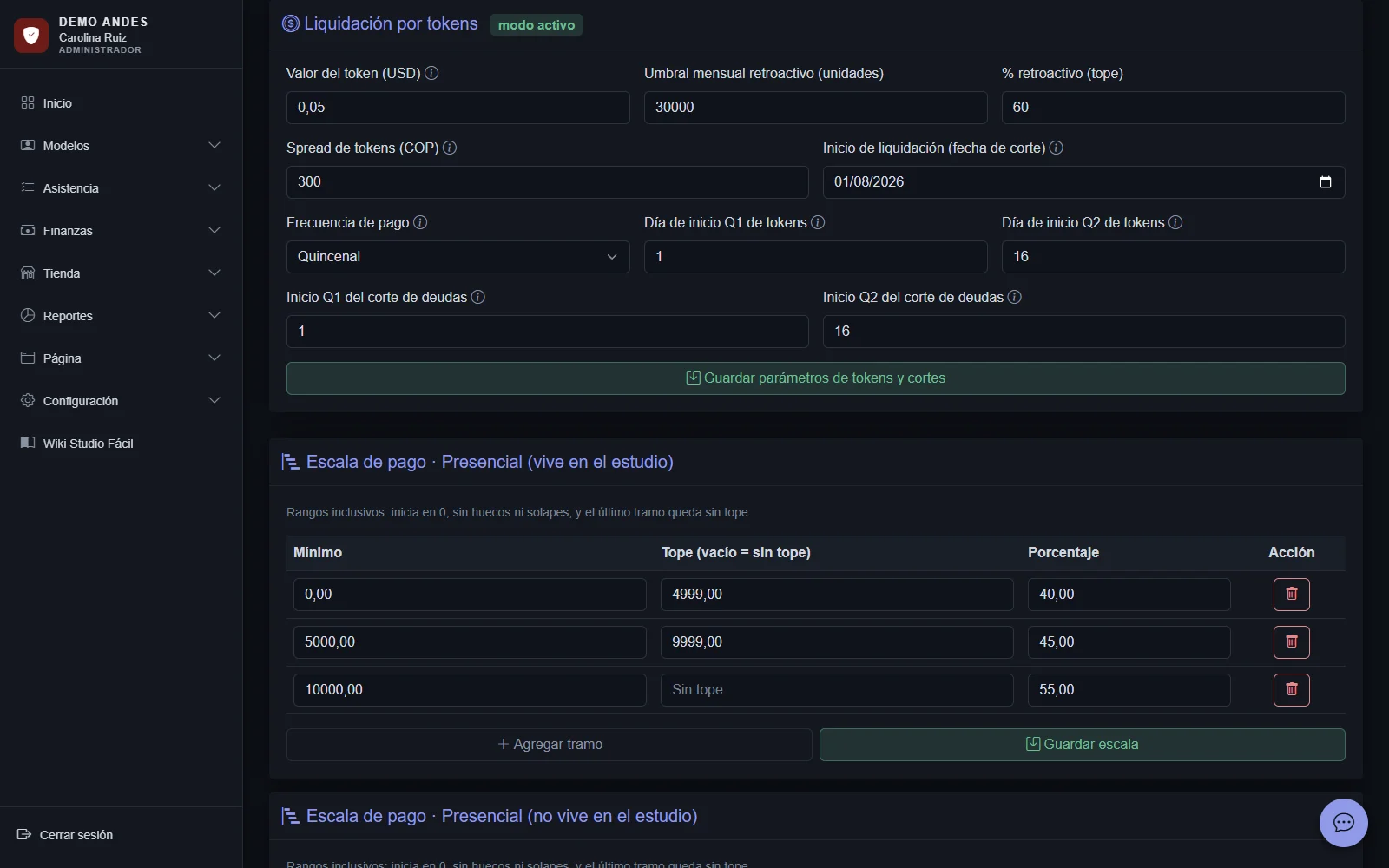
Cash closing every night and sales reports
Each store's closing shows the day's sales, cash, recorded withdrawals and deposits, and expected versus counted cash. Reports show sales by day, product, customer, payment method, seller and store.
- Cash movements
- Withdrawals and deposits recorded during the day, included in the closing.
- Profit per sale
- Sale minus cost, by product and by period.
- Returns and voids
- Recorded, with their effect on inventory.
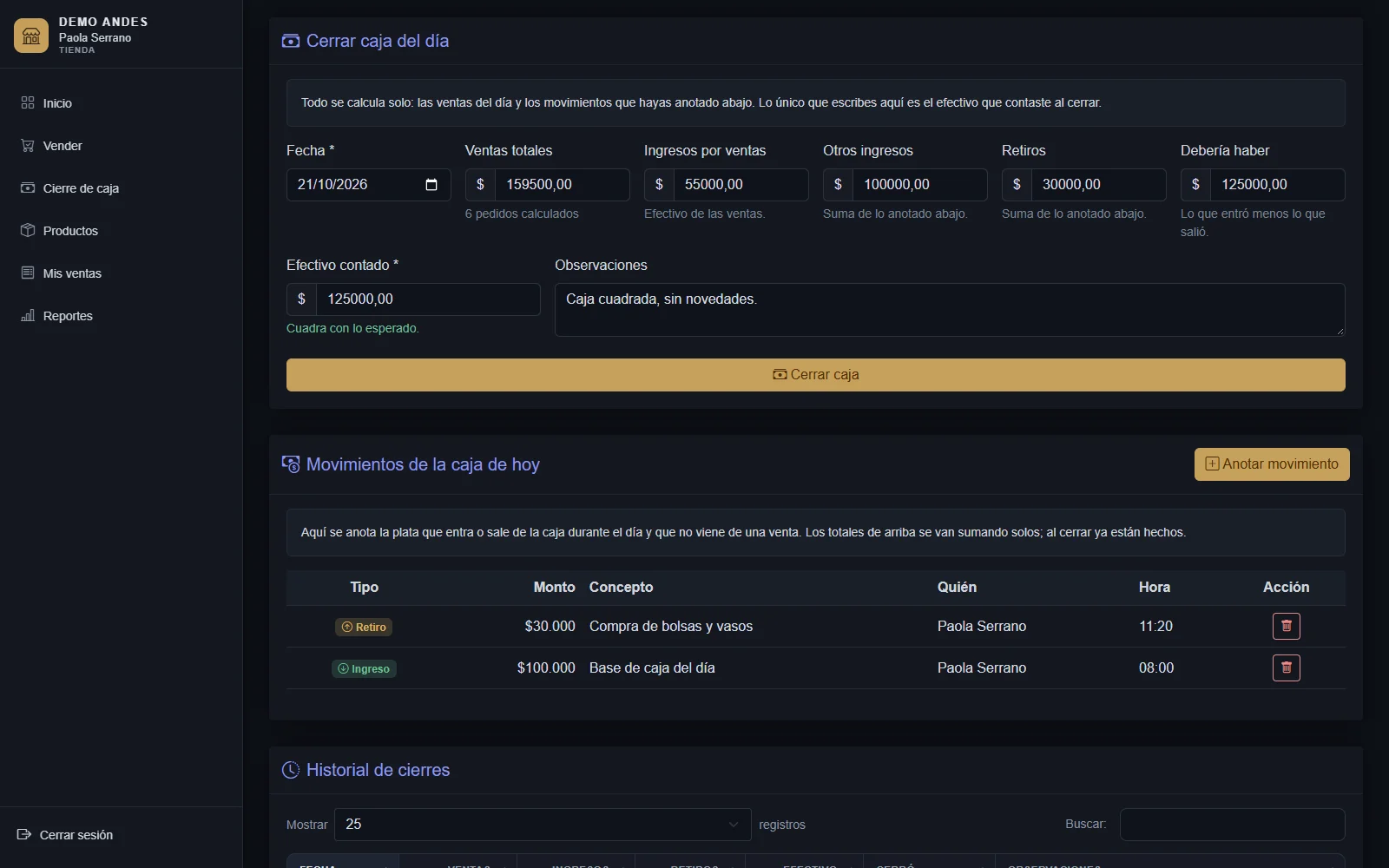
Your studio's numbers, without building reports by hand
The administrator home shows revenue, models, platforms and monitors, the month's charts and live operations. Statistics walks through the week with earnings by day, platform, monitor and a model ranking.
- Live operations
- Models connected, absent on shift, active sessions and today's earnings, refreshed every few seconds.
- Model ranking
- Earnings, hours against the minimum and average per hour for each model.
- Earnings by platform and monitor
- Which platforms earn most and how much each monitor recorded in the week.
- Reports and export
- Payroll in Excel; and for dollar payouts, Excel by model, Excel for the bank and for the accountant, and PDF expense vouchers.
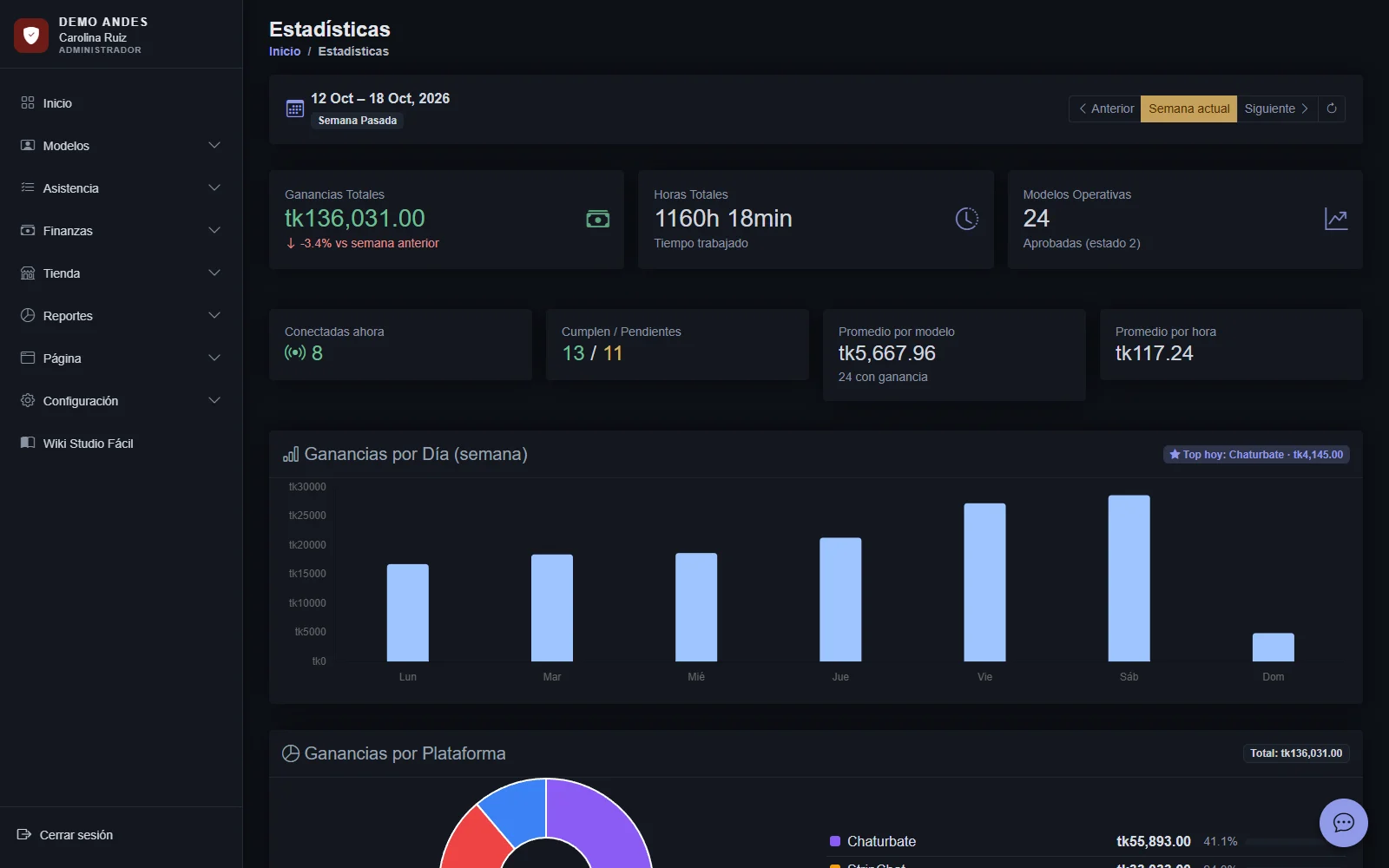
Studio communication, inside the system
Private chat between administrator, monitors and models, a general channel and broadcast messages. Image announcements on the model dashboard, surveys with results and WhatsApp templates to message each model.
- Internal chat
- Images, reactions, pinned messages, search and online presence, with configurable retention.
- Announcements and surveys
- Image announcements for models and surveys with single-choice, multiple-choice, 1-to-5 scale or free-text questions, with their results.
- WhatsApp templates
- Messages by status that open WhatsApp with the text ready for the model.
- Monitor rating
- Models rate monitors from one to five and the administrator sees the ranking.
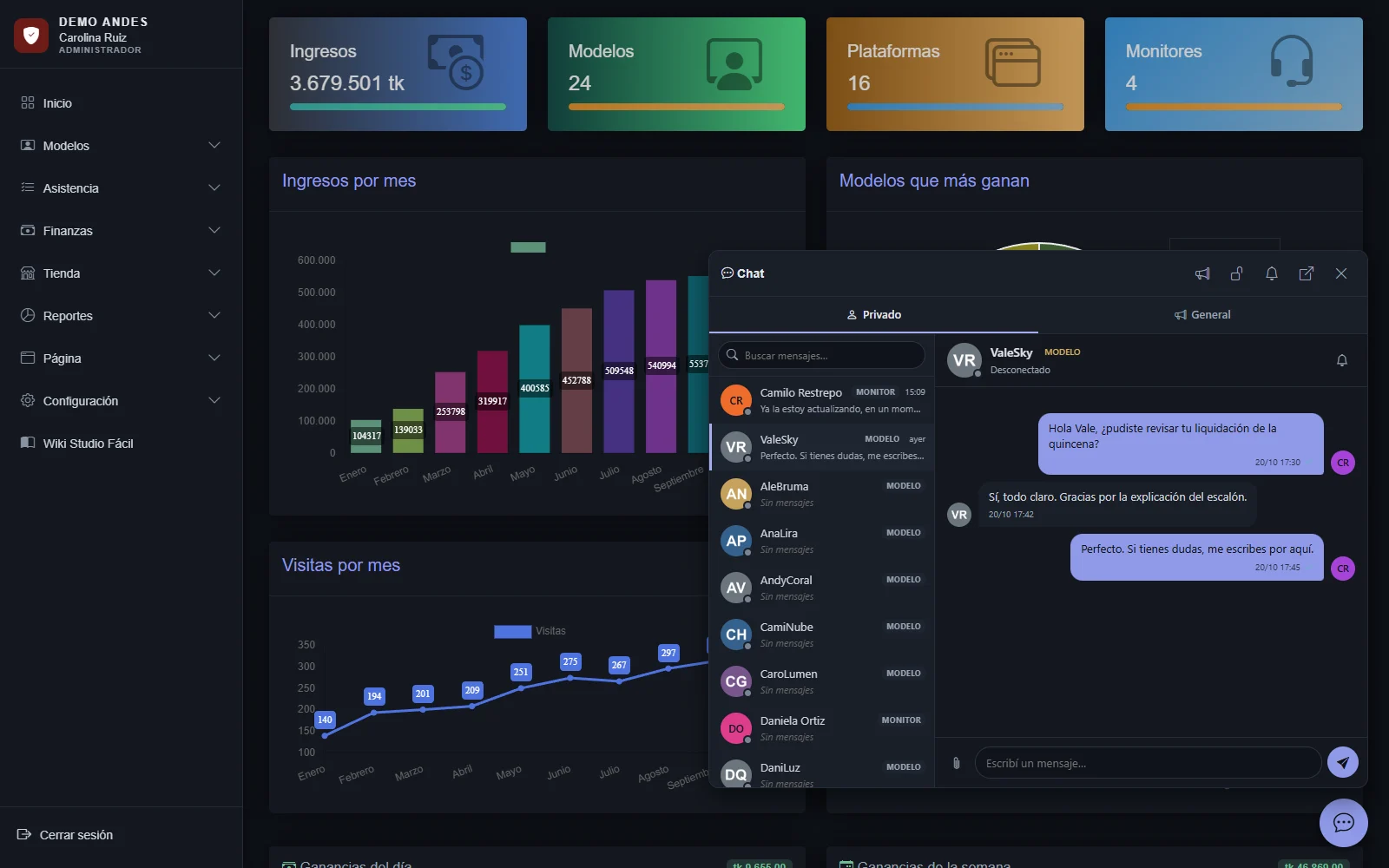
Fits your studio without custom development
Differences between studios are handled through settings: locations, shifts, platforms, pay scale, periods, currency, fines and permissions. And each person works within their role.
- Multiple locations
- Models, monitors and stores by location, and users with several locations in scope.
- Permission matrix
- Which modules each profile sees: monitor, model and store. Within the store, the store manager also manages products.
- Studio accounting settings
- Token value, spread, retroactive rule and pay scale, with the token, dollar and peso chain in view.
- Your studio's brand
- Your logo, legal details, dashboard color and a wiki with the process manual.
Details you notice every day
- Cloud and mobile
- Works in any computer or phone browser, with nothing to install.
- Your own installation
- Each studio with its own domain, database and logo.
- Two ways to pay
- By tokens with a pay scale, or in dollars by fixed percentage with a PDF receipt by email.
- Configurable currency
- Code, symbol, decimals and separators for the local currency.
- Automatic exchange rate
- Exchange-rate history taken from Colombia's official open data source.
- Studio wiki
- A manual of every process for the administrator and monitors.
- Studio website
- With applicant sign-up, plus a blog, store catalog and virtual assistant that can be turned on or off.
- Connection control
- Restrict a model's shift start to the studio's connections; remote models are exempt.
- Continuous updates
- Improvements reach every studio without reinstalling anything.
Questions about the features
If your studio has something particular, tell us in the demo.
Want to see these modules with your studio?
Book the demo and we'll prepare it with your pay scale and your platforms.